Black Friday Poster Maker
Complete the required fields (*) to upload and generate.
Example preview
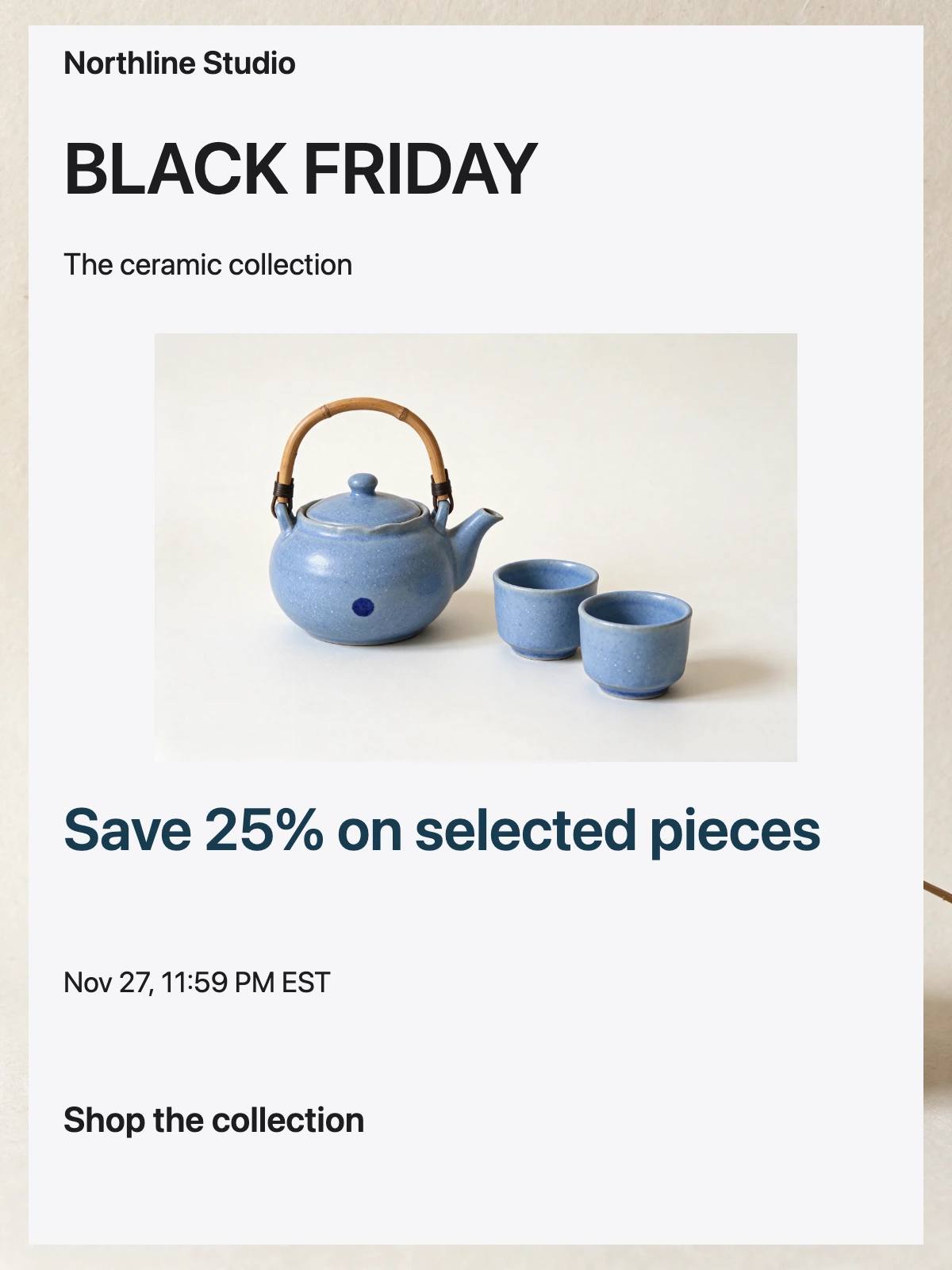
Seedream 5.5 · Review identity, artwork, and text before use
Your offer stays in your words
Make a Black Friday poster around your product and exact offer. Enter the brand, product, promotion, deadline, and call to action; the browser places those words over an AI-created visual background.
The background is generated separately from the promotion. Brand, offer, deadline, and CTA are typeset from the fields you enter, so changing a date or discount does not require AI to rewrite the poster.
Start creating
Keep the product photo as the product
Choose photo mode to place the original product image into the composition with its proportions preserved. If you work from text only, the visual is an illustrative concept and must be checked against the actual product.
- Optional original product photo
- No invented product claims

Set the offer and end time explicitly
Use complete promotion wording and include the time zone in your deadline. Exact fields are laid out by the browser rather than drawn by the model. No original price, countdown, stock level, or extra discount is fabricated.
- Separate brand, offer, deadline, and CTA
- Edit text without regenerating the visual
From explicit inputs to a reviewable result
- Brand
- Northline Studio
- Product or collection
- The ceramic collection
- Offer, exactly as shown
- Save 25% on selected pieces
- Deadline, including time zone
- Nov 27, 11:59 PM EST
- Call to action
- Shop the collection
Poster treatment
Editorial · Bold · Minimal
Review one campaign composition
Choose editorial, bold, or minimal treatment for the visual background. The portrait poster keeps the product area separate from the headline and offer. Check every campaign detail and the final image before publishing.
- Portrait sale artwork
- Flattened PNG composition
Create in three steps
- 01
Add the product and campaign
Enter the brand and product; optionally add a real product photo.
- 02
Write the exact promotion
Add the offer, deadline with time zone, and CTA.
- 03
Generate, check, and download
Review the composed text and product before sharing the poster.
Continue your creative workflow
Frequently asked questions
Does this tool use credits?
Generation uses your Banana Pro account and the Seedream 5.5 cost shown on the button. Reference images and output settings affect the quote. Download access follows your existing account plan; review the current price before submitting.
Will AI change my discount or date?
Your offer and deadline are rendered from the text fields by the browser. They are not rewritten by the image model. Check spelling, eligibility, time zone, and promotion terms before sharing.
Do I need a product photo?
A photo is optional. Photo mode uses the original uploaded image directly. Text-only mode creates an illustrative visual; it is not a verified photograph of your product.
Does it calculate discounts or create a countdown?
No. Enter the exact offer yourself, including any exclusions you need to show. The poster displays a deadline as text; it does not run a timer, check stock, schedule a campaign, or publish automatically.
What size and file do I download?
The finished composition is a 1200 × 1600 PNG image. It is flattened, not an editable PSD, vector file, PDF, or press-ready document. Download follows your existing Banana Pro account access checks. Review the final text and picture before publishing or sending to a printer.
Create with Black Friday Poster Maker
Make a Black Friday poster around your product and exact offer. Enter the brand, product, promotion, deadline, and call to action; the browser places those words over an AI-created visual background.
Start creating