Double Exposure Effect
Example preview
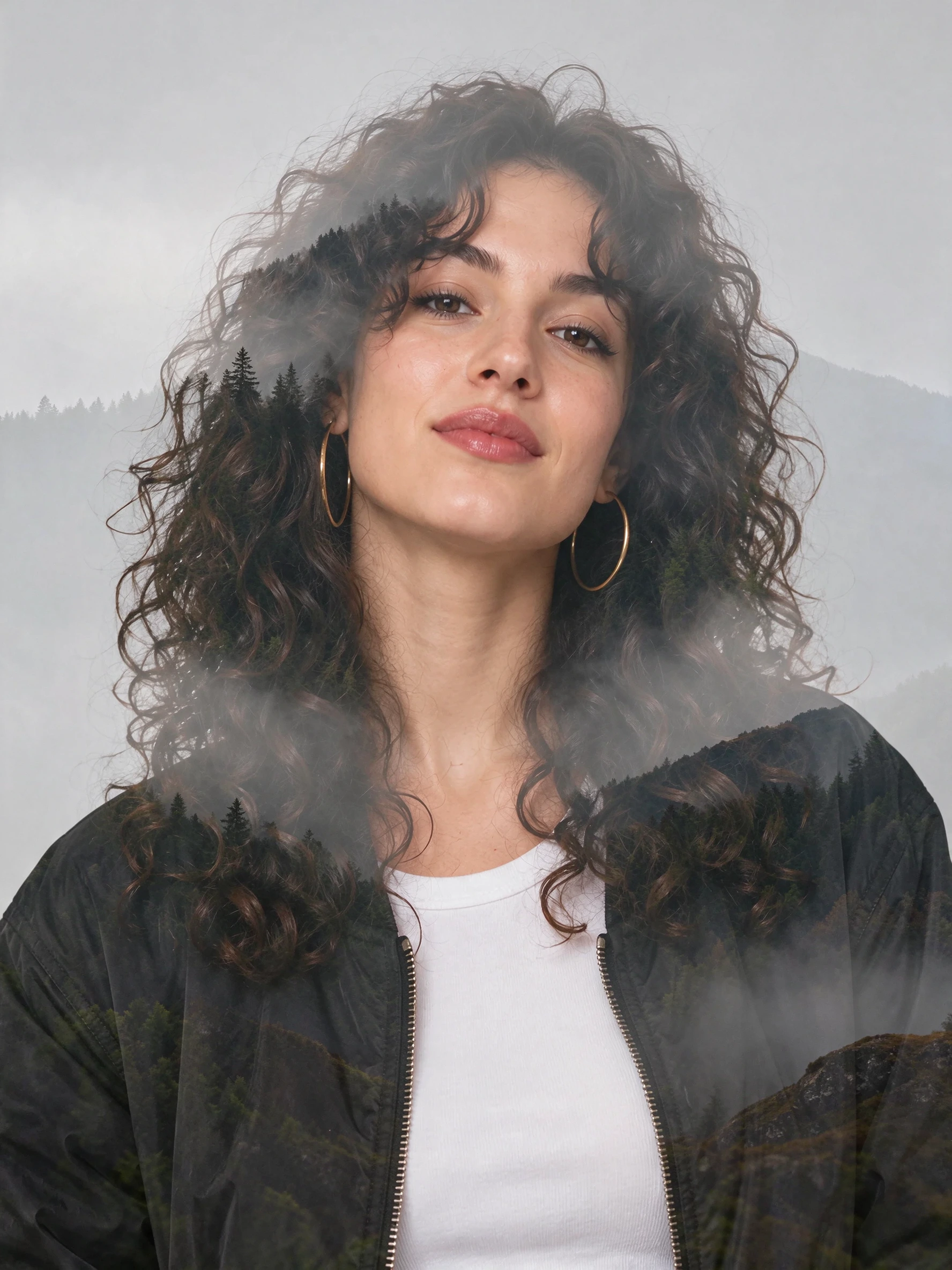
Seedream 5.5 · Review identity, artwork, and text before use
One person, a place inside the silhouette
Blend a landscape into a portrait silhouette. Upload a clear subject photo, choose a scene and color treatment, and optionally add your own landscape as the second reference.
A clear portrait gives the model a recognizable outline. The chosen landscape or optional second image provides the inner scene. Review the eyes, nose, mouth, and silhouette instead of judging only the overall mood.
Start creating
Keep the portrait as the anchor
Use a well-lit head-and-shoulders photo or side profile. The prompt preserves the subject's identity and ethnicity while concentrating the landscape in the hair, shoulders, and outer contour; generative consistency still needs review.
- Portrait is reference one
- Inspect facial landmarks

Describe a place or supply one
Choose forest, city, or coast, then add a second image when a specific place matters. The landscape preset describes the mood; an uploaded second reference is used for the scene direction.
- Optional landscape reference
- Soft or graphic blend
From explicit inputs to a reviewable result
Landscape
Forest · City · Coast
Blend
Soft · Graphic
Color
Natural · Black & white
Finish a cover concept in color or monochrome
Explore a natural-color portrait or a graphic black-and-white treatment for an album, profile, or personal artwork. The output is a finished raster composition; it does not contain separable exposure layers.
- Two color treatments
- Review edges before publishing
Create in three steps
- 01
Upload a clear portrait
Add an optional landscape as image two.
- 02
Choose the inner scene
Set the landscape, blend, and color direction.
- 03
Check the face and download
Inspect facial detail and silhouette transitions at full size.
Continue your creative workflow
Frequently asked questions
Does this tool use credits?
Generation uses your Banana Pro account and the Seedream 5.5 cost shown on the button. Reference images and output settings affect the quote. Download access follows your existing account plan; review the current price before submitting.
Do I need two photos?
No. One portrait is required. The model can create the selected landscape. Add a second authorized image to guide a particular scene.
What portrait works best?
A clear side profile or head-and-shoulders portrait against a simple background gives a useful outline. Start with one person; this page does not promise reliable multi-person exposure blends.
Will the overlay hide my face?
The prompt asks for clear eyes, nose, mouth, and facial structure, with more landscape in the hair and shoulders. Results can drift; reduce the blend intensity or add notes if important details are obscured.
What do I download?
You receive a flattened image, not an editable PSD, vector document, or print production file. Download uses the same account access checks as the main image generator. Check dimensions, details, and source rights before publishing.
Create with Double Exposure Effect
Blend a landscape into a portrait silhouette. Upload a clear subject photo, choose a scene and color treatment, and optionally add your own landscape as the second reference.
Start creating