Real Estate Flyer Maker
Complete the required fields (*) to upload and generate.
Example preview
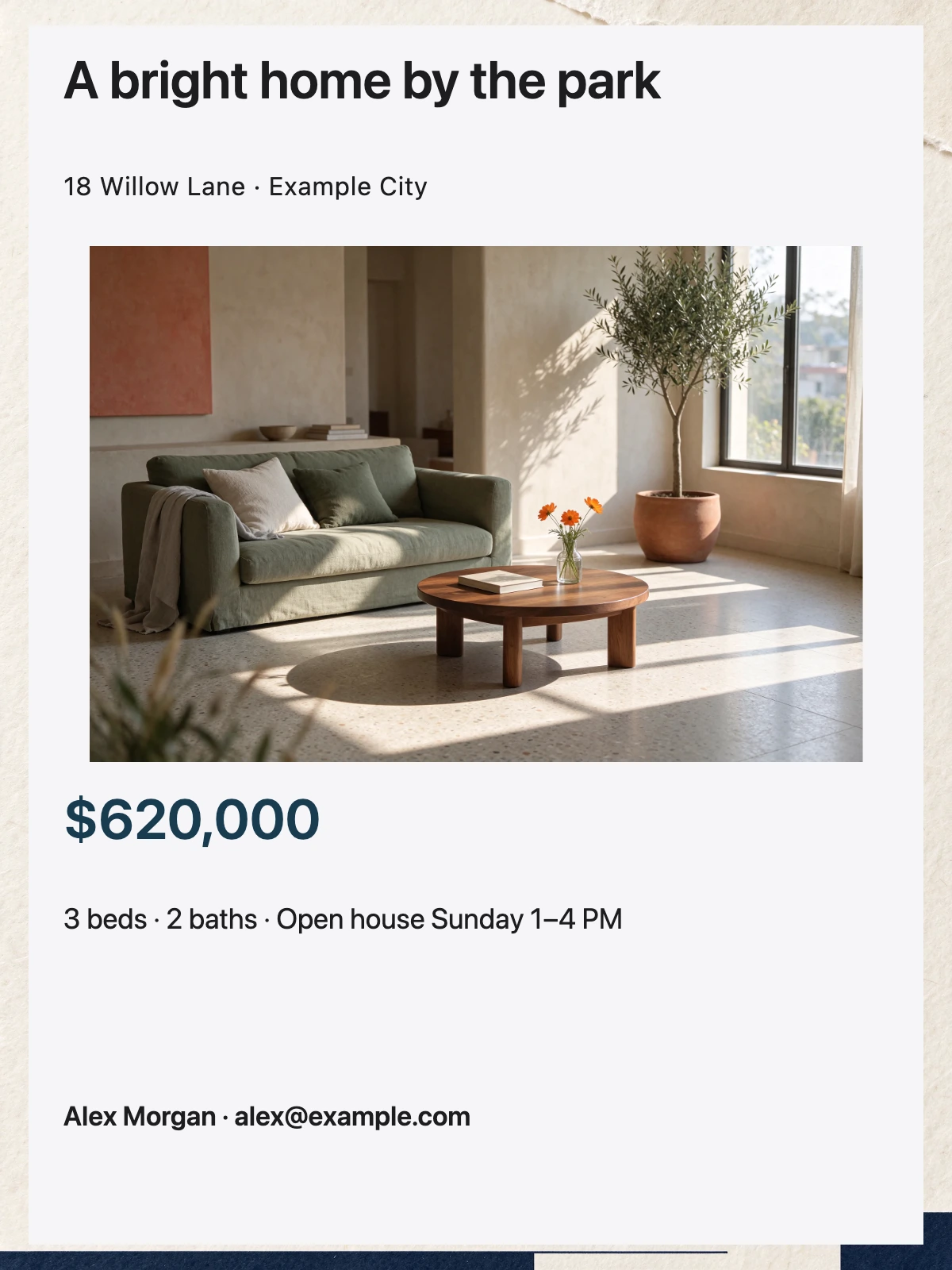
Seedream 5.5 · Review identity, artwork, and text before use
Your property photo stays a photograph
Build a property flyer around your original listing photo and verified details. AI creates the background treatment; your photo and the text you enter are placed directly into the finished layout.
The final flyer draws the original photo into a dedicated image area and sets the address, asking price, features, and contact text separately. The model supplies only an abstract background, not replacement rooms or amenities.
Start creating
Place the original listing photo
Your first uploaded image is drawn into the flyer with its proportions preserved. The layout may scale it to fit, but does not ask AI to invent a different interior, view, or exterior.
- Original image pixels, scaled to fit
- No generated amenities

Keep the asking price and address in your words
Listing fields are rendered by the browser, outside the image model. Edit a field to update the composition without asking the model to redraw the text. You remain responsible for verifying every property claim.
- Separate headline, address, and price
- Verified features and contact
From explicit inputs to a reviewable result
- Listing headline
- A bright home by the park
- Address
- 18 Willow Lane · Example City
- Price, exactly as shown
- $620,000
- Verified property details
- 3 beds · 2 baths · Open house Sunday 1–4 PM
- Agent and contact
- Alex Morgan · alex@example.com
Background treatment
Editorial · Modern
Give one property a clear visual hierarchy
A portrait layout gives the listing photo, price, and contact information distinct places. Review the exported image before using it in email, local sharing, or a print workflow; printer specifications are not supplied.
- Portrait flyer composition
- Check all details before sharing
Create in three steps
- 01
Add the original photo
Choose a property photo you have permission to use.
- 02
Enter verified details
Add the exact address, price, property features, and contact.
- 03
Generate the layout and review
Check the original photo and every field in the composed flyer.
Continue your creative workflow
Frequently asked questions
Does this tool use credits?
Generation uses your Banana Pro account and the Seedream 5.5 cost shown on the button. Reference images and output settings affect the quote. Download access follows your existing account plan; review the current price before submitting.
Does AI redraw my property?
No. The finished composition directly places your original first photo. AI generates the decorative background only. The source photo is scaled to fit its area without changing its proportions.
Can I change listing text after generation?
Yes. The current text fields update the composition without another image generation. Long entries must fit the field limits. The downloaded image is flattened, so keep the source details for later edits.
Is this an MLS or print compliance check?
No. Verify listing accuracy, brokerage requirements, fair-housing rules, image rights, and print specifications yourself. On task recovery, reselect the original photo if the browser no longer has it; a generated substitute is never used.
What size and file do I download?
The finished composition is a 1200 × 1600 PNG image. It is flattened, not an editable PSD, vector file, PDF, or press-ready document. Download follows your existing Banana Pro account access checks. Review the final text and picture before publishing or sending to a printer.
Create with Real Estate Flyer Maker
Build a property flyer around your original listing photo and verified details. AI creates the background treatment; your photo and the text you enter are placed directly into the finished layout.
Start creating